TAL Buyers Network
Helping professional vehicle buyers find and act on the right inventory
I designed and helped ship a mobile marketplace that connected The Appraisal Lane's vehicle inventory with approved automotive buyers.
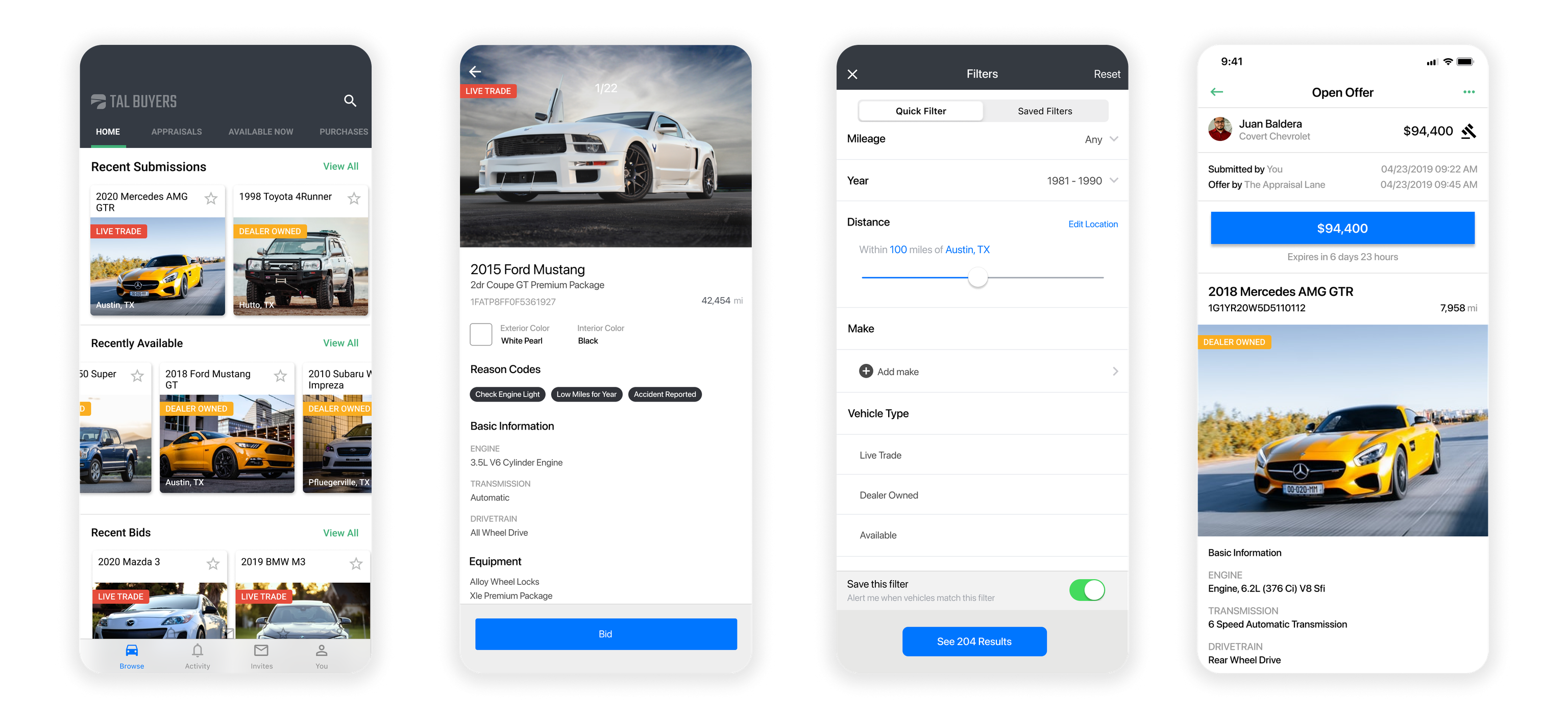
01. Overview
Connecting trade-in inventory with professional buyers
Car dealerships regularly take vehicles in trade that do not make sense for their own used-car lots. A Toyota dealership might accept a BMW to complete a sale, for example, even if it does not want to stock that car or cannot offer as much for it as a BMW dealership might.
The Appraisal Lane gave dealerships another option. A dealer could photograph a trade-in, complete a condition report, and submit the vehicle through the app. Our appraisal team would review it and make a cash offer. The dealer could then decide how to use that offer in its transaction. If the dealer accepted it, The Appraisal Lane purchased the vehicle and needed to find the right buyer for it.
When I joined, professional buyers could view available inventory on a basic website and contact an account manager to discuss a vehicle or negotiate the listed price. The experience worked, but it expected buyers to keep checking the site. That did not fit how many of them worked.
Most of these buyers were not sitting at a desk all day. They were sourcing vehicles for independent used-car lots, dealership used-car departments, wholesale operations, or their own auctions. They also tended to have a sweet spot. One buyer might want late-model trucks under a certain mileage, while another might focus on a specific brand, body style, or price range.
We saw an opportunity to make that process more targeted and useful on a phone.
Pan and zoom to explore the appraisal and inventory workflows, or expand the diagram to full screen.
02. Key challenges
Matching inventory before it loses value
As The Appraisal Lane added dealerships, more appraisals and more vehicles moved through the business. Inventory was limited by the amount of capital available to hold it, and every vehicle was a depreciating asset. We needed to connect vehicles with interested buyers and move accepted inventory through disposition as efficiently as possible.
The product needed to help buyers:
- Browse available vehicles from their phones
- Define the types of vehicles they wanted
- Save those preferences for later
- Receive a notification when a matching vehicle appeared
- Express interest or submit a price, depending on the vehicle's state
The existing website already supported basic inventory browsing. Saved filters, notifications, and pre-bids were new capabilities, and the website also needed to gain more useful filtering.
03. Role
Leading product definition, design, and delivery
I was the Product Manager, but I was also the UX designer because we did not have one when the work began.
I defined the product with our leadership and domain experts, designed the iOS and Android experiences in Sketch, wrote epics and user stories in Confluence, and created Jira tickets across mobile, backend, and web administration work. I also scheduled implementation reviews with our senior architect and mobile engineers, incorporated their feedback, and worked with the team through sprint demos and release.
Engineering owned implementation and technical decisions. Customer-facing team members who worked with buyers handled account creation and onboarding because the app was publicly listed, but users could not create their own accounts.





04. Discovery
Learning from people who knew the market
We did not have a formal research practice, so I relied heavily on people inside the company who had direct experience buying and selling used vehicles.
Several members of the sales team had worked as used-car sales managers. One of our founders was a wholesale vehicle buyer who operated his own auction. I used their input to understand how buyers evaluated inventory, which attributes mattered, and whether the filters and vehicle views made sense for the way they worked.
This helped us move beyond the simpler lookup patterns in the dealer-facing product. A dealership submitting a vehicle might mainly need make, model, or VIN. A buyer deciding whether to stock it cared about more detail, including mileage, exterior color, interior or seat color, vehicle type, and pricing status.
Exploring the layout on paper
I used quick sketches to compare inventory layouts and the information within each vehicle card before refining the interface.
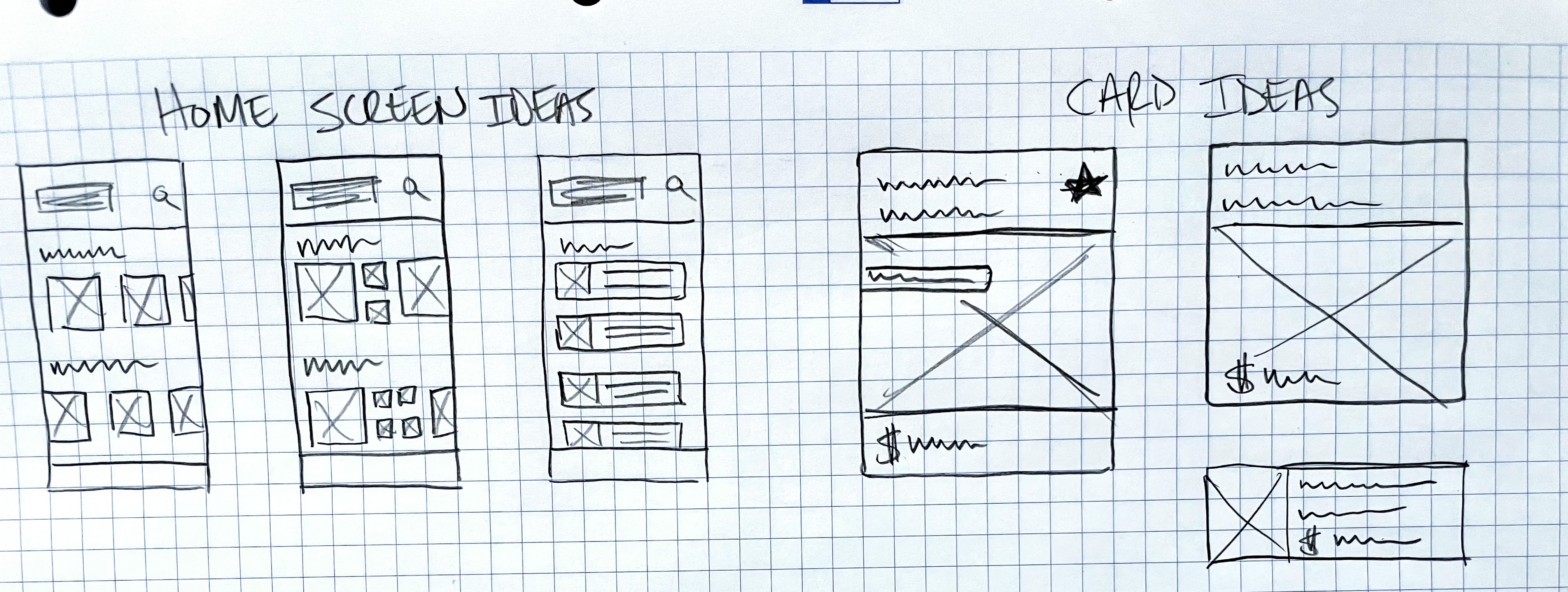
View the complete home-screen sketch sheet
05. Saved filters
Turning buyer preferences into saved filters
Saved filters became the main interaction problem I worked through.
Buyers needed granular control, but they should not have to rebuild the same search every time they opened the app. I designed a flow that let them select the attributes they cared about, save and name that combination, and control whether it should generate notifications.
A buyer could then manage several sourcing strategies at once. Instead of repeatedly searching the full inventory, they could return to a saved filter or respond when the app told them that a matching vehicle had arrived.
The goal was not simply to add more filters. It was to let a buyer describe a useful inventory strategy once and keep using it.
Keeping make and model selection connected
The sketch explored moving from vehicle criteria to make and model selection, then returning those choices to the filter.
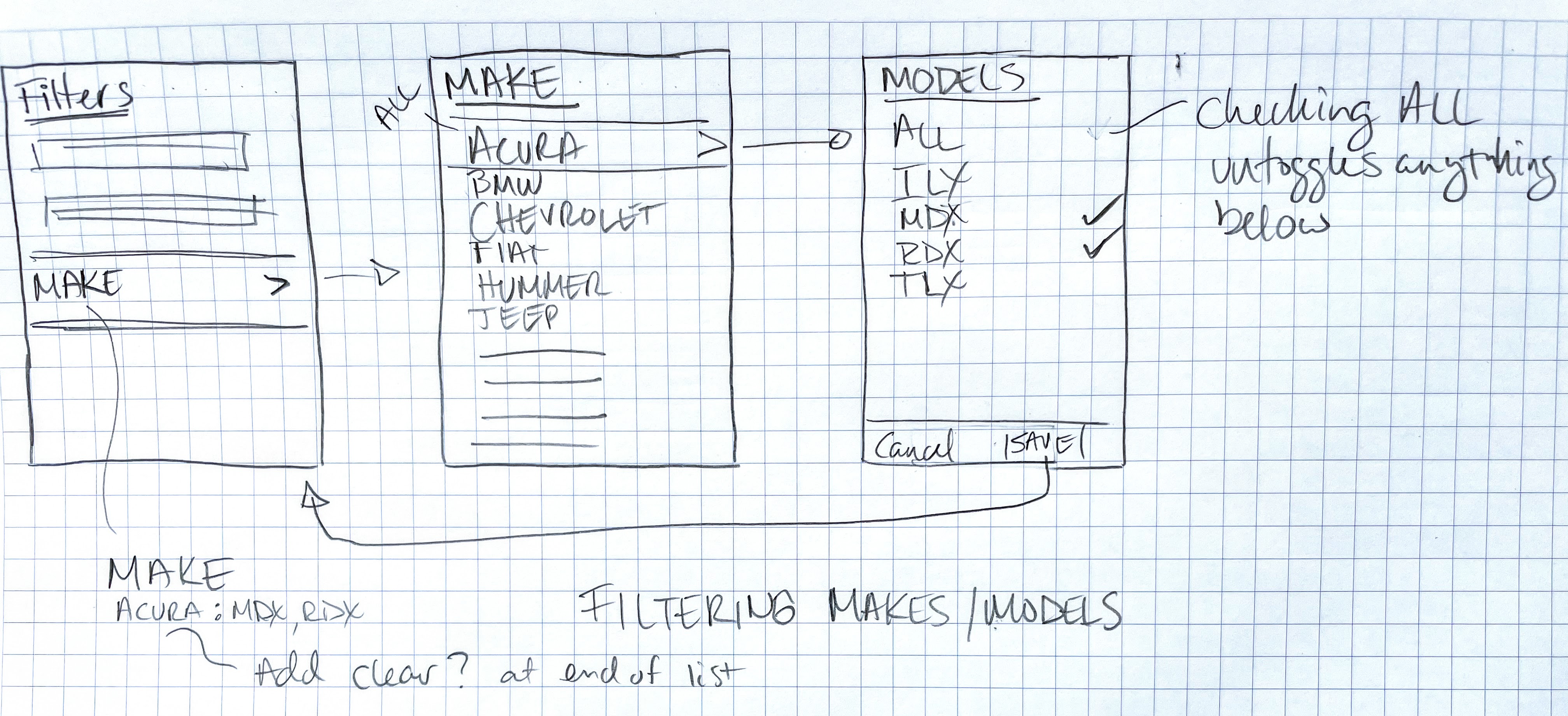
View the complete filter sketch sheet
Swipe to explore all five steps.
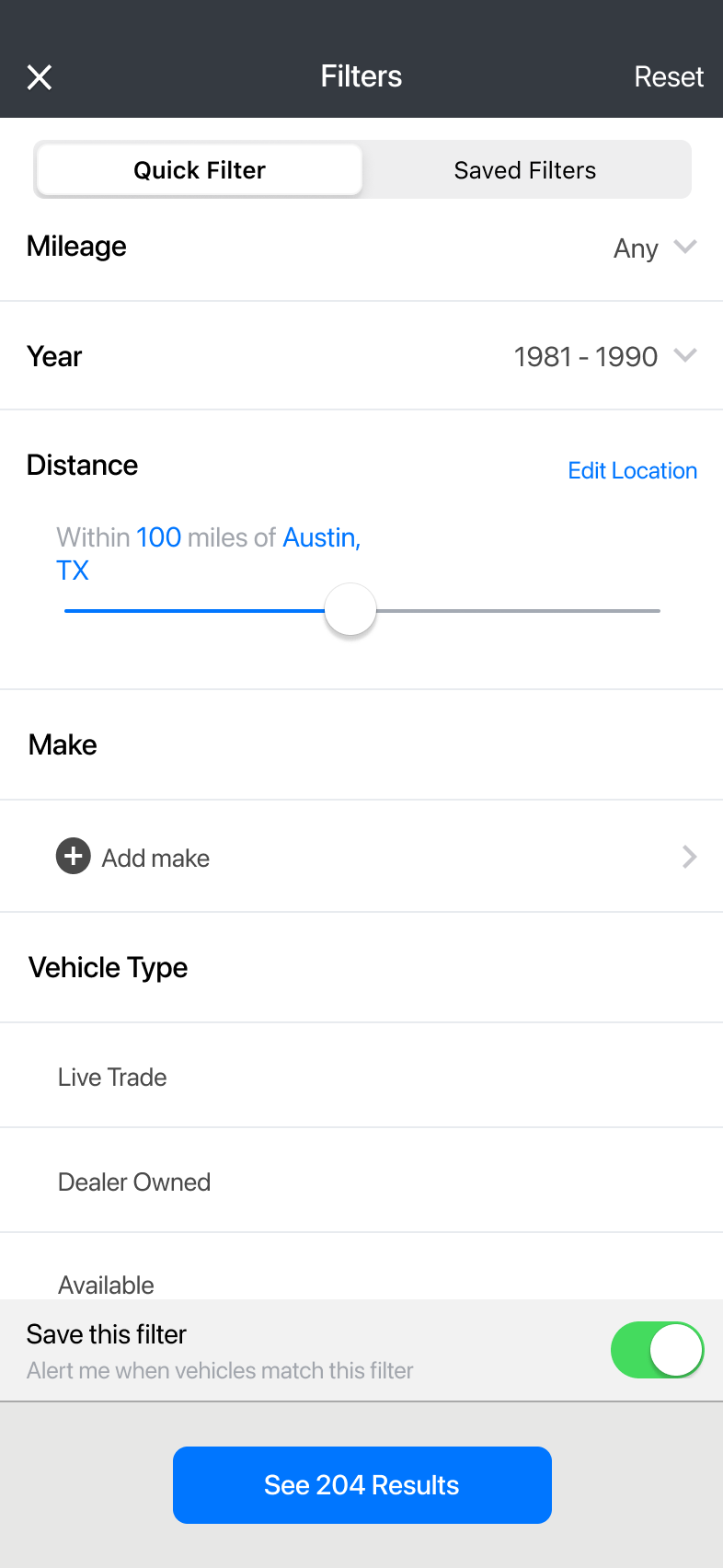
01. Start with Quick Filter
Set vehicle criteria such as mileage, year, distance, and vehicle type. Open Make to choose a manufacturer.
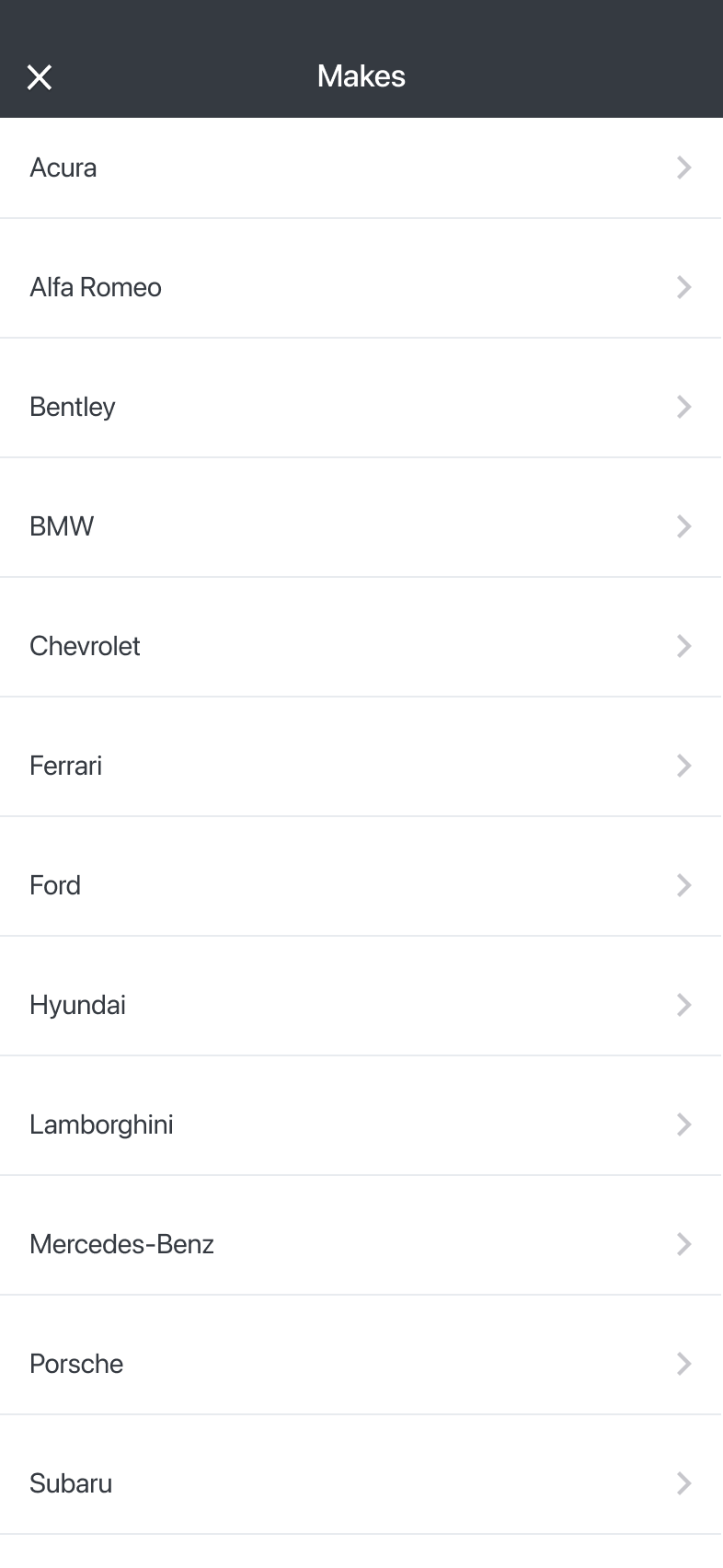
02. Choose a make
Select a manufacturer, such as BMW, to see its models.
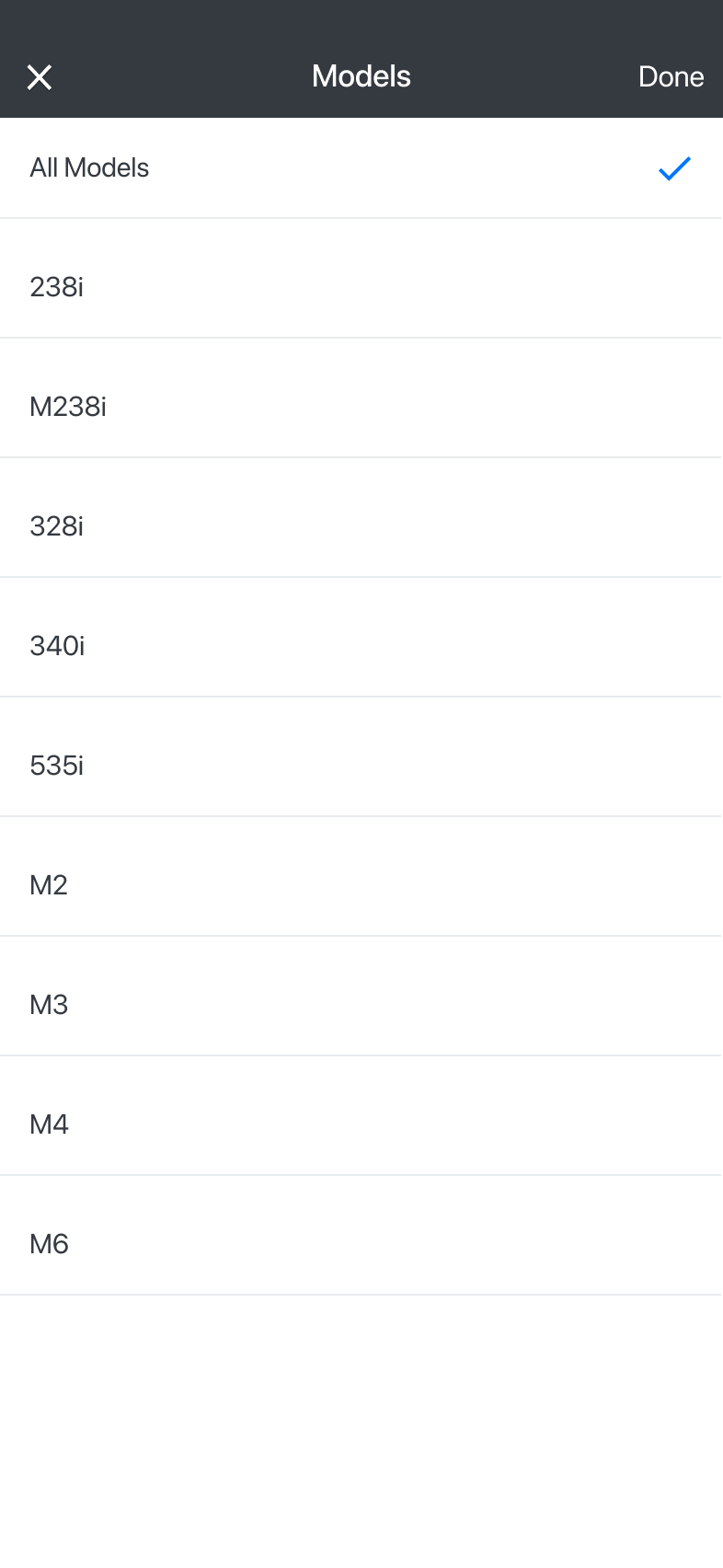
03. Select models
Choose all BMW models or specific ones, then tap Done to return to Quick Filter.
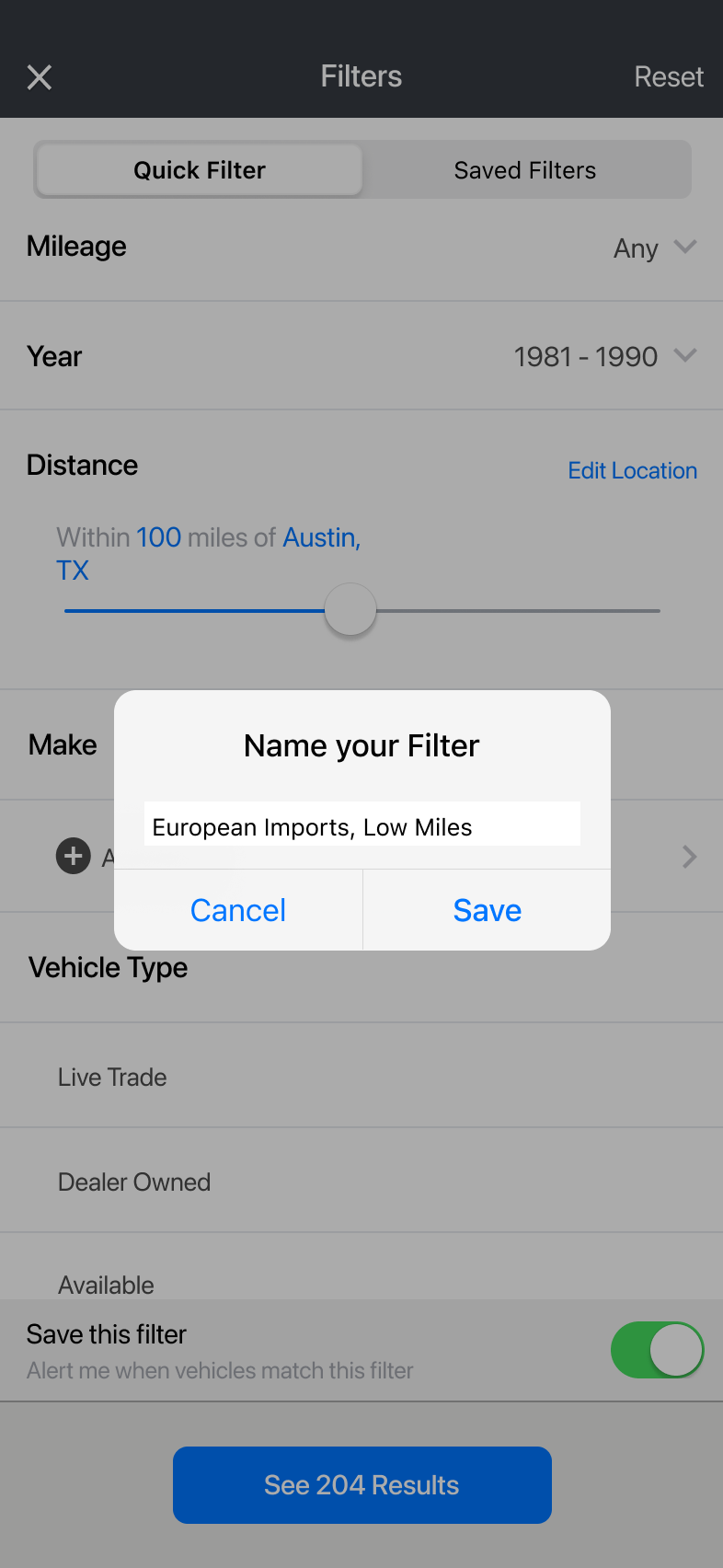
04. Name the filter
With Save this filter enabled, tapping the results button opens a prompt to name and save the filter.
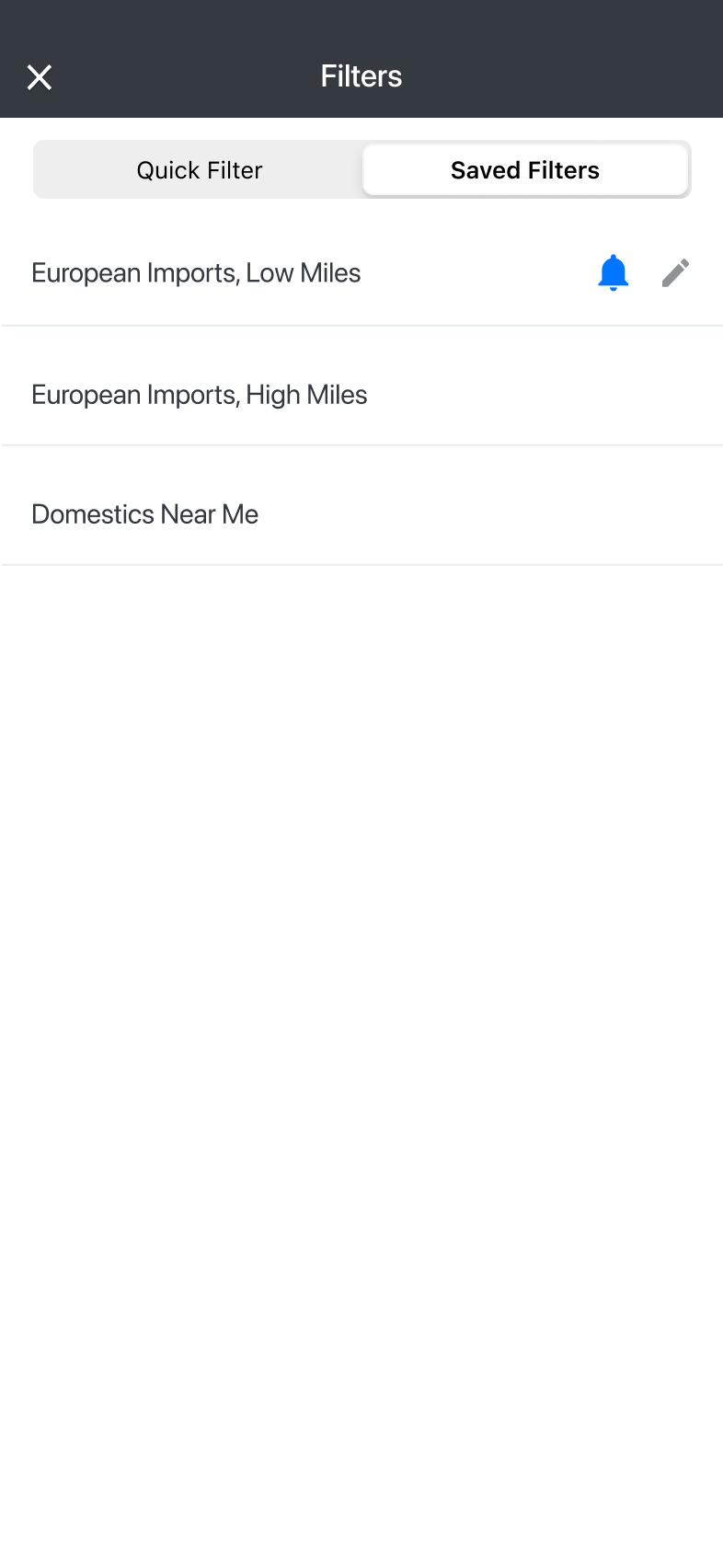
05. Reuse and manage
Tap the filter name to view matching vehicles. The bell controls notifications for new matches; the pencil opens editing.
06. Vehicle states
Designing for different vehicle states
Buyers could submit the amount they wanted to pay for a vehicle. Direct purchasing in the app had not yet been implemented; a bid gave The Appraisal Lane a concrete starting point for a conversation with the buyer.
The vehicle detail screen brought together the vehicle status, specifications, and reason codes that helped buyers assess it. The sequence below shows the Bid interaction: review the vehicle, enter an amount, and see the submitted bid on the detail screen.
From buyer interest to a conversation
The submitted amount appeared on that vehicle's dashboard in the internal web app. The account manager or disposition team member assigned to the dealership received a notification and could message the buyer in the app to work toward a deal.
Submitting a bid did not complete a purchase. If TAL had not yet acquired the vehicle, the dealership still needed to accept TAL's offer before it could enter inventory. Buyer interest could also remain useful for later follow-up.
If a purchase was agreed upon, the buyer could arrange transportation independently or ask their account manager or disposition contact to help coordinate it.
Two labels, tied to the vehicle’s state
The action changed after TAL assigned a value and sent its offer. Both actions let a buyer submit what they wanted to pay.
Pre-bid
Buyer interest could provide an early signal for the appraisal.
Bid
The amount gave TAL a starting point for follow-up with the buyer.
An explanation of the action labels. Submitting either amount did not complete a purchase.
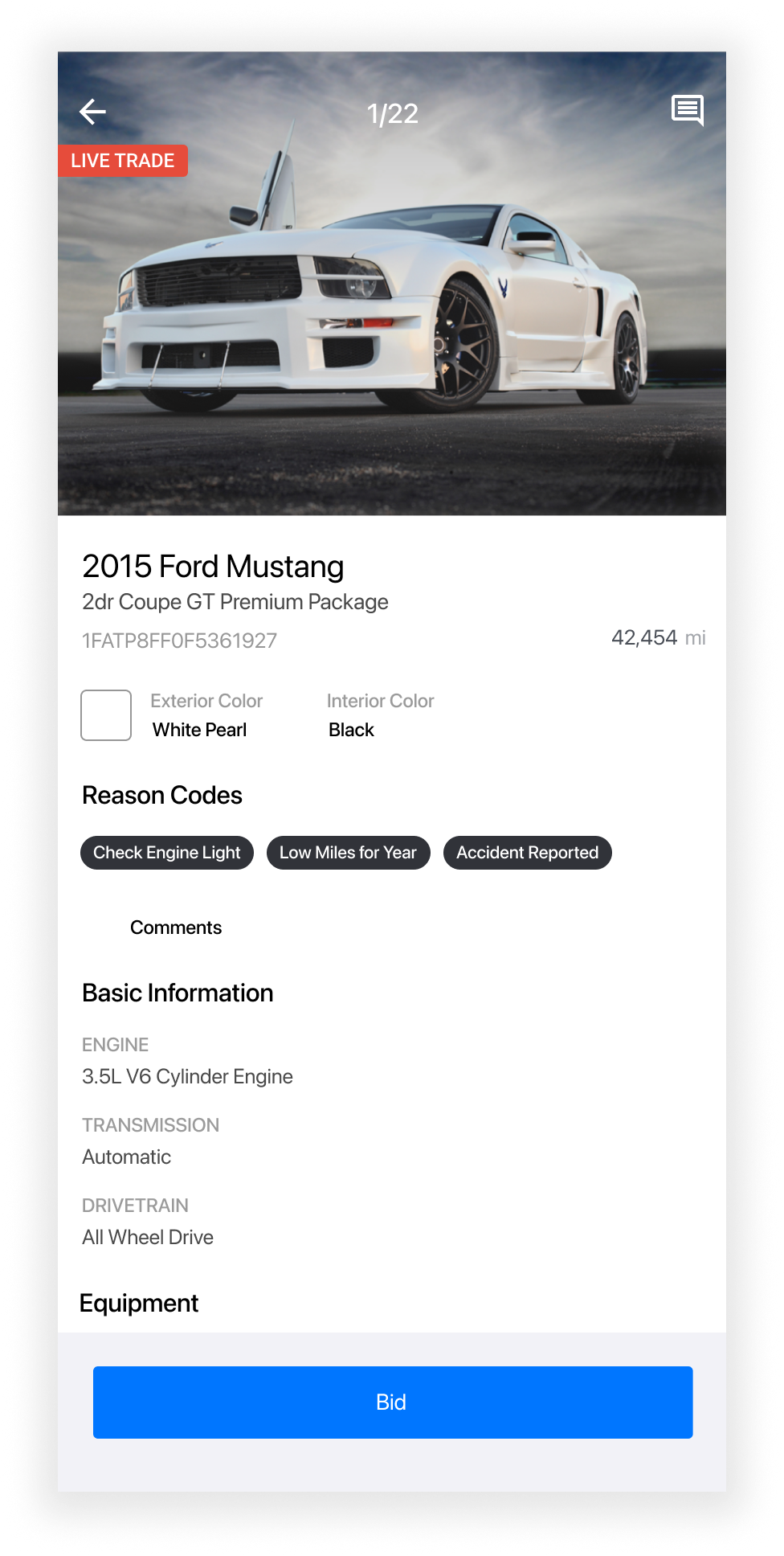
01. Review the vehicle
Vehicle status and reason codes give buyers context before they tap Bid.
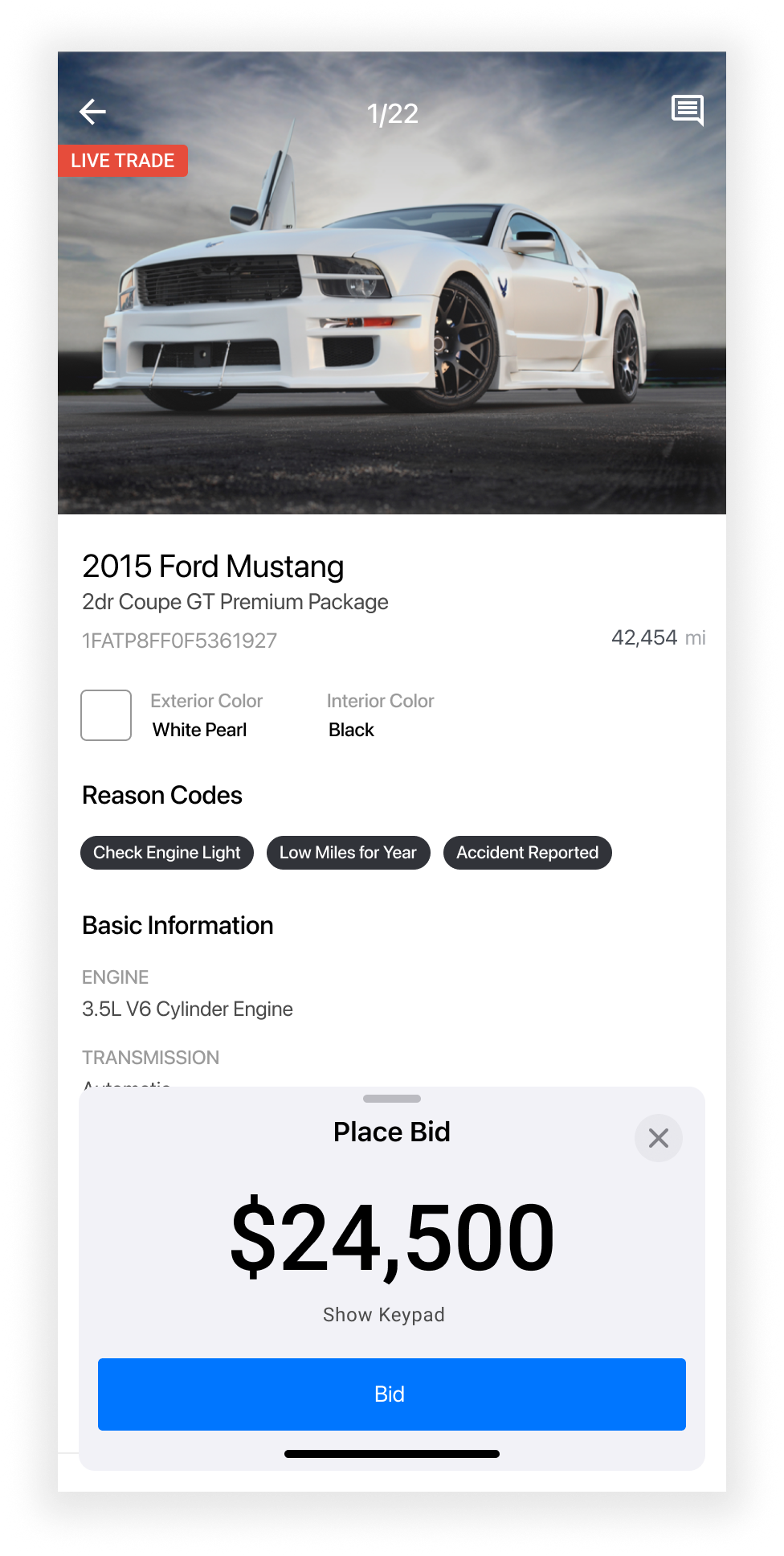
02. Submit an amount
The buyer enters what they want to pay and submits it to TAL.
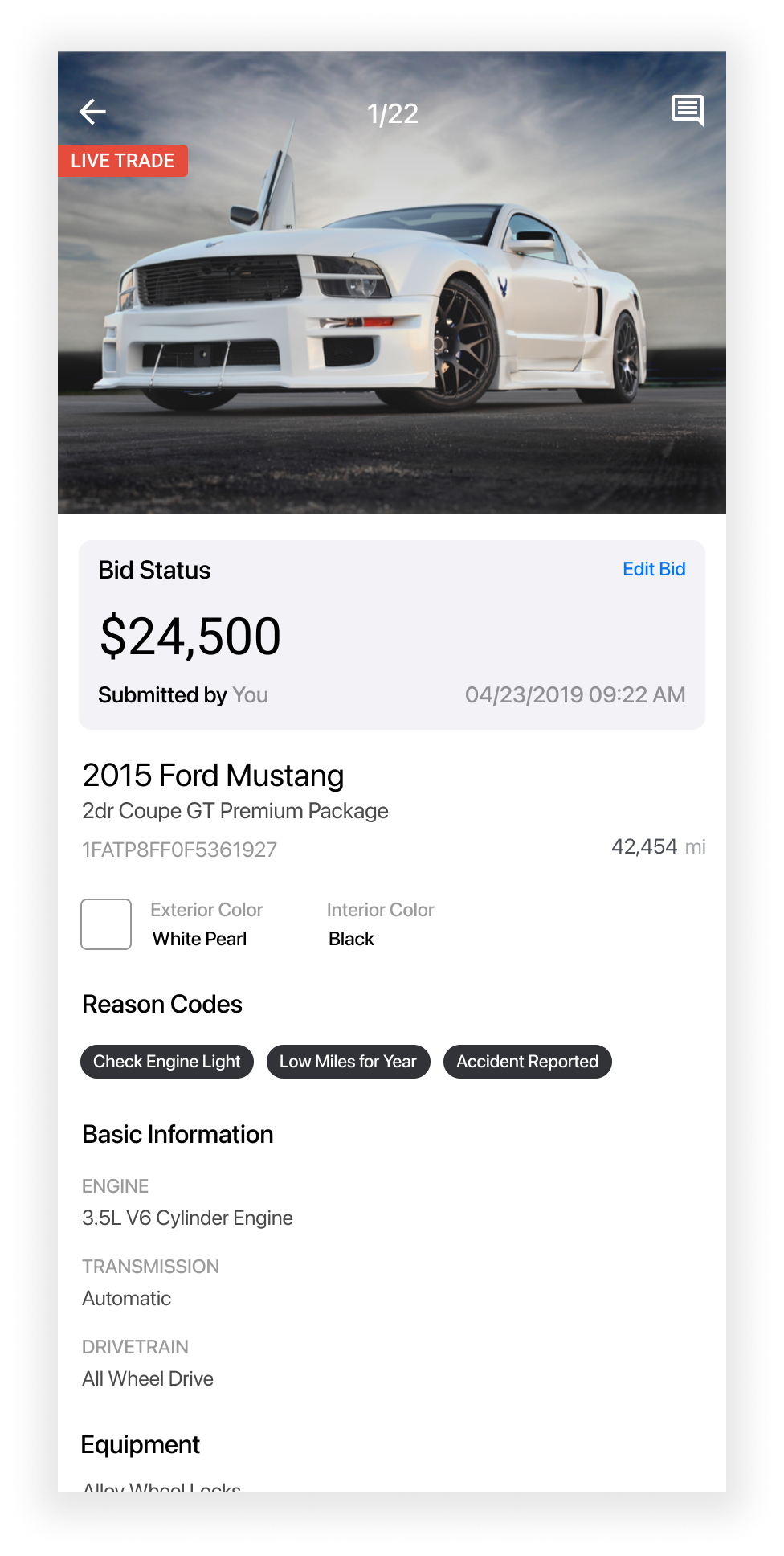
03. See the submitted bid
Bid Status displays the amount, submission time, and an Edit Bid action.
Recreated vehicle-detail screens showing the Bid flow.
07. Connected workflows
Connecting the mobile and internal workflows
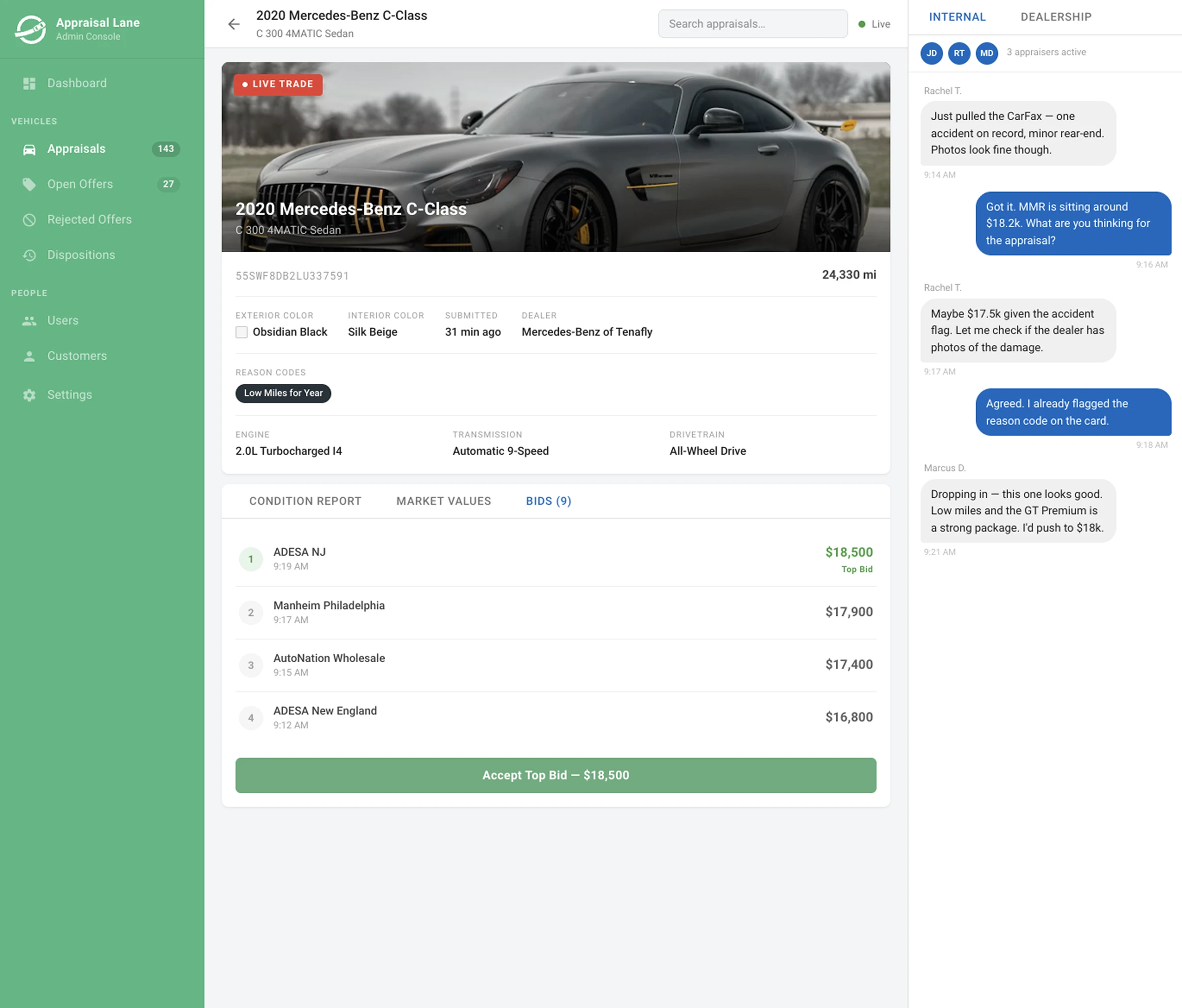
Bids and pre-bids connected the mobile app to the internal vehicle dashboard. I designed the bid view within the vehicle details so appraisers could see the submitted amounts and identify the buyers and dealerships behind them.
Before TAL had assigned a value and sent an offer, pre-bids gave appraisers a signal of what buyers were willing to pay and could help anchor the vehicle's valuation. After an offer had been sent, including while seller acceptance was pending, or after TAL had acquired the vehicle, bids continued to show buyer demand at specific prices.
The apps needed to submit a bid, and the backend needed to store and return it. The internal web app displayed the bids on the vehicle dashboard. A notification alerted the account manager or disposition team member assigned to the dealership so they could message the buyer in the app and work toward an agreement. Once a deal was agreed upon, the team could coordinate delivery or pickup with the buying dealership.
I mapped that behavior across the products and broke the work into separate iOS, Android, API, and web tickets. I used Confluence to document the feature and its states, then reviewed it with the senior architect and engineers before the team committed to implementation.
That collaboration helped surface implementation constraints early while keeping the buyer experience and internal appraisal workflow connected.
- 01
Buyer submits
The mobile app sends the bid amount for that vehicle.
- 02
Team is notified
The dashboard shows buyer interest and alerts the assigned team member.
- 03
Team follows up
An in-app conversation helps the team work toward a deal.
Buyer interest becomes visible to the team
The mobile amount and internal bid list served different users within the same workflow.
On the buyer’s phone
On the internal dashboard
- ADESA NJ9:19 AM$18,500Top bid
- Manheim Philadelphia9:17 AM$17,900
- AutoNation Wholesale9:15 AM$17,400
- ADESA New England9:12 AM$16,800
Different illustrative vehicles and amounts show each side of the workflow, rather than a single transaction. The dashboard was recreated in Figma Make from my recollection and mobile references. It illustrates placement and purpose, rather than the exact shipped interface.
View the full dashboard reconstruction
The original backend Sketch file is no longer available.
08. Launch
Shipping on iOS and Android
Every two weeks, the team demonstrated completed work to stakeholders, including sales and other people who worked directly with buyers. As the apps approached release, I walked those teams through the experience so they could help approved buyers install the app, access their accounts, and configure useful saved filters.
We launched TAL Buyers Network in both the Apple App Store and Google Play Store. Accounts were created internally, so the product remained limited to approved professional buyers rather than consumers browsing for personal vehicles.
I saw a small number of pre-bids come through after launch, but I left before we had reliable adoption or business-impact data. That early signal does not establish broader adoption or business impact.
The qualitative response was generally positive. People in automotive were accustomed to administrative products that felt old, slow, and difficult to use. Our software felt responsive, worked well on their phones, and stood out from the tools many of them dealt with every day. I do not have formal usability scores. A preserved launch-period review from GulfAuto provides a specific customer account, included in the outcomes below.

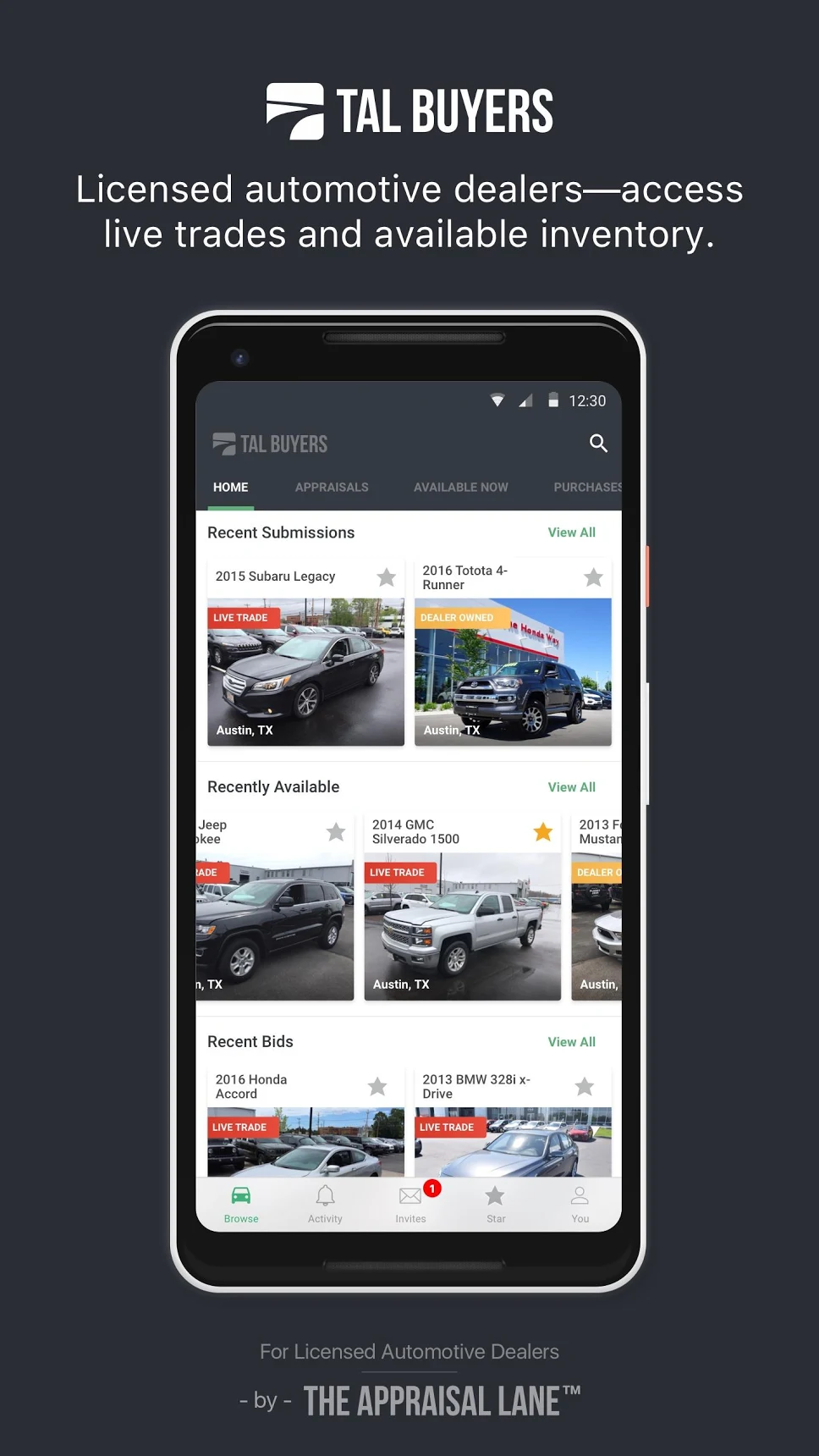
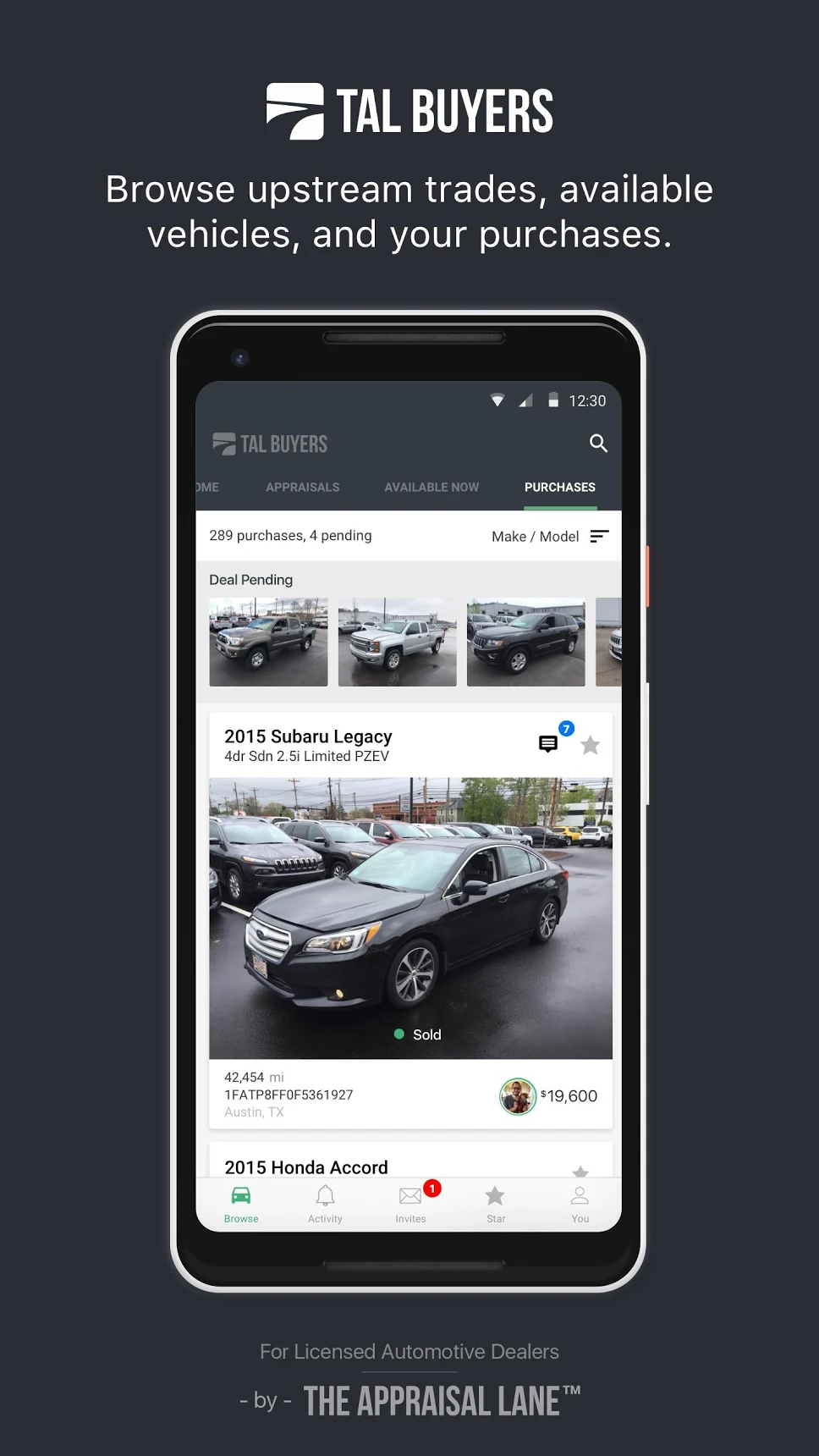
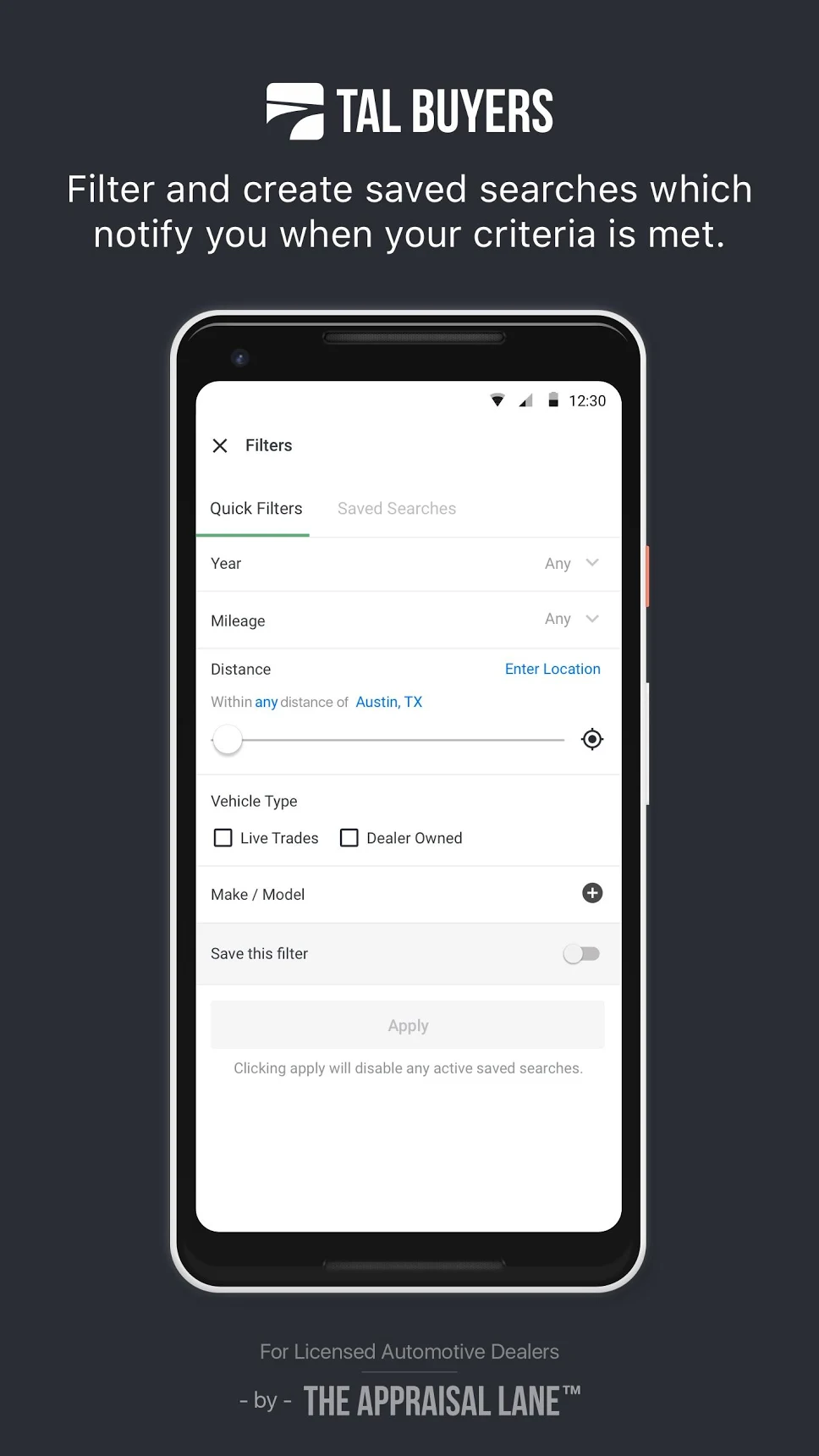
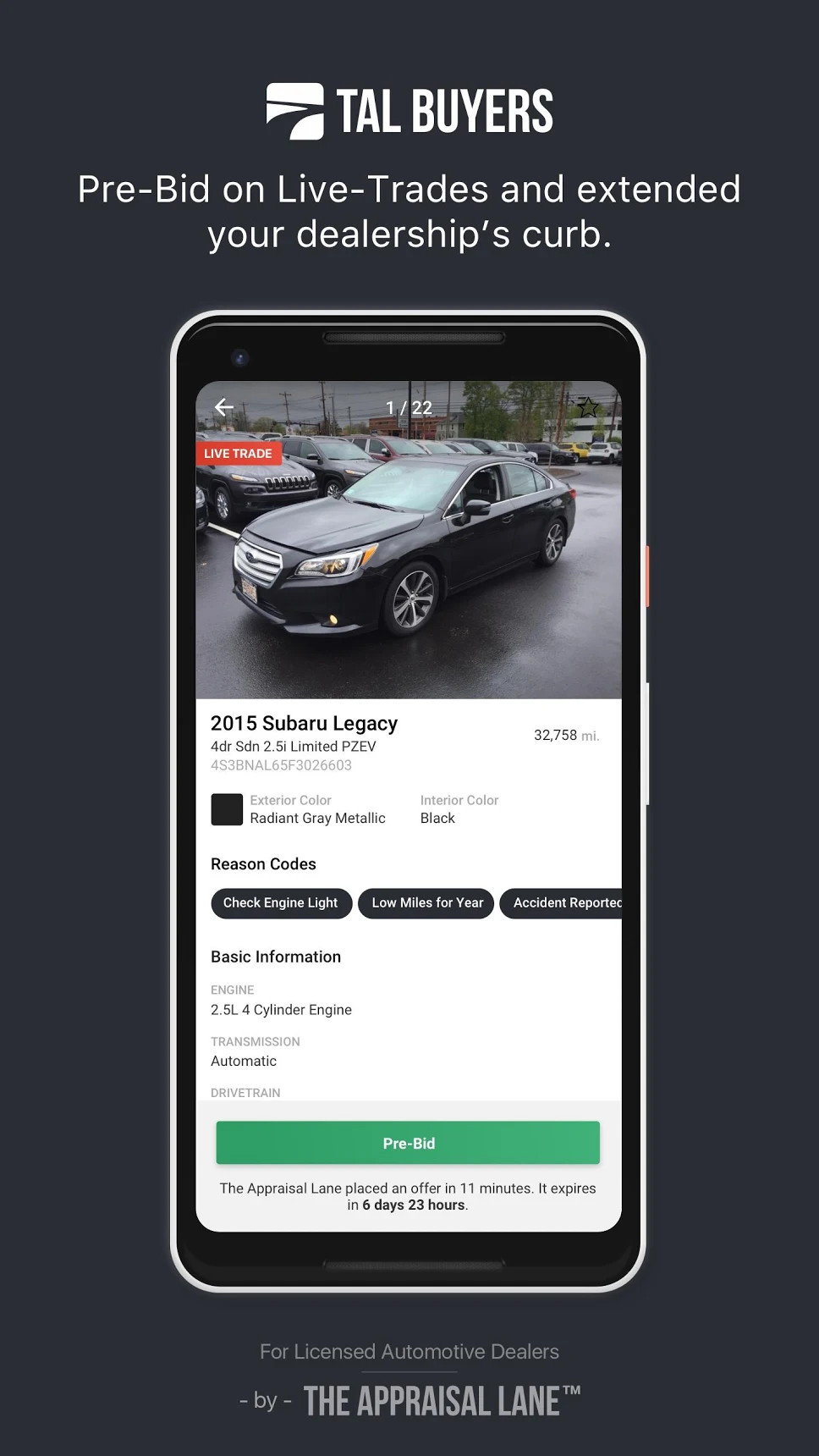
Original Google Play launch graphics for TAL Buyers Network.
09. Design foundation
Making the design files safer to change
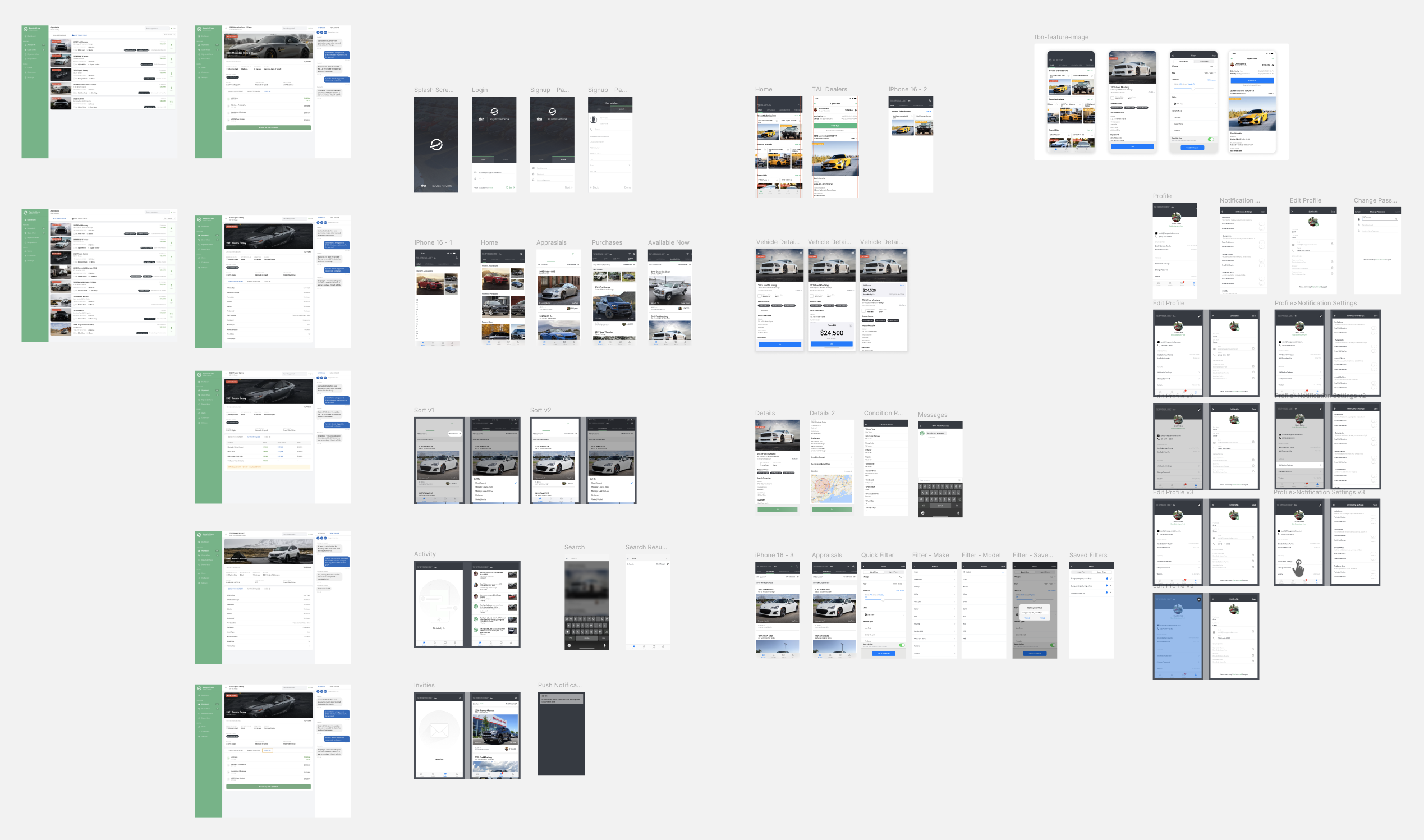
The internal administration portal and the iOS and Android versions of the dealer app lived in one shared Sketch file. As the products and team grew, that setup made everyday design changes harder to manage.
Four problems with one shared file
Oversized file
The portal and both mobile platforms shared one Sketch file, several gigabytes in size by my recollection.
Crashes on save
Saving the file could crash our computers and interrupt design work.
Overwritten work
Simultaneous edits through Google Drive could replace another designer's changes.
Visual drift
Without reusable components, fonts, weights, sizes, and colors varied between screens.
Separate files and reusable components
Before beginning the new Buyers Network designs, I asked the team to pause changes and took a weekend to reorganize the system. I separated the web administration experience, the existing appraisal app, and TAL Buyers Network into their own files. I also converted repeated one-off elements into reusable components, including cards, status chips, dashboard widgets, profile images, and common text variations.
The resulting files were far smaller, roughly 200 MB each by my recollection, and we stopped experiencing the same crashes and overwritten work. Reusable components gave us a shared source for the details that had previously drifted between screens.
A review process with Abstract
As the design team grew, I introduced Abstract for Sketch version control and established a weekly review process. Designers committed work to a branch, presented it to the team, recorded feedback against the commit, resolved changes, and merged approved work into the main file.
- 01
Branch and design
Keep in-progress changes separate from the shared main file.
- 02
Commit changes
Record a version of the work for review.
- 03
Review together
Present the changes at the weekly design review.
- 04
Resolve feedback
Address comments recorded against the commit.
- 05
Merge approved work
Bring reviewed changes into the main design file.
This supporting work made the products easier for a growing team to maintain and change.
10. Outcomes
A shipped product with early signs of buyer interest
TAL Buyers Network launched as a restricted marketplace for professional automotive buyers on iOS and Android. It brought inventory browsing, saved sourcing preferences, notifications, vehicle conversations, and state-specific bidding actions into a mobile workflow.
It also connected buyer interest back to the appraisal operation. Pre-bids could inform the value placed on a vehicle and give the disposition team a starting point if the vehicle entered inventory.
The measurable outcome I can stand behind is shipment. Both apps reached their stores, approved buyers were onboarded, and early pre-bids appeared in the system. I cannot credibly claim adoption growth, revenue impact, or a reduction in disposition time because that instrumentation and follow-through were not available to me before I left.
★★★★★
“Bought my first car yesterday and the whole process was quick with no pain points and the fee was way way cheaper than what I usually pay.”
View original review screenshot
This review documents one customer’s reported purchase experience. It does not establish overall adoption, conversion, or commercial impact.
11. Reflection
What I would measure today
If I were continuing the product today, I would instrument the complete path from buyer preference to vehicle disposition:
- Saved-filter creation and the most frequently selected attributes
- Notification delivery, opens, and vehicle views
- The percentage of matching vehicles that receive interest or a pre-bid
- Bids and pre-bids followed up by the account manager or disposition team
- Seller acceptance of TAL offers on vehicles with buyer interest
- Completed sales to the buyer who submitted the selected bid
- Time from appraisal submission to disposition, compared with a pre-launch baseline
These measures would show whether buyers were finding relevant inventory, whether alerts were producing meaningful action, and whether that activity helped the business move vehicles faster.